Bring your clients
Import a spreadsheet from Jobber, Housecall Pro, QuickBooks, Google Contacts or your own. Columns match up by name and duplicates are caught.
Quotes your customers accept from their phone. A schedule the crew can read. Pay that adds itself up. Invoices that tell you when they’ve been opened. One app, on the laptop at home and the phone in your pocket.
No card. Bring your client list from a spreadsheet.

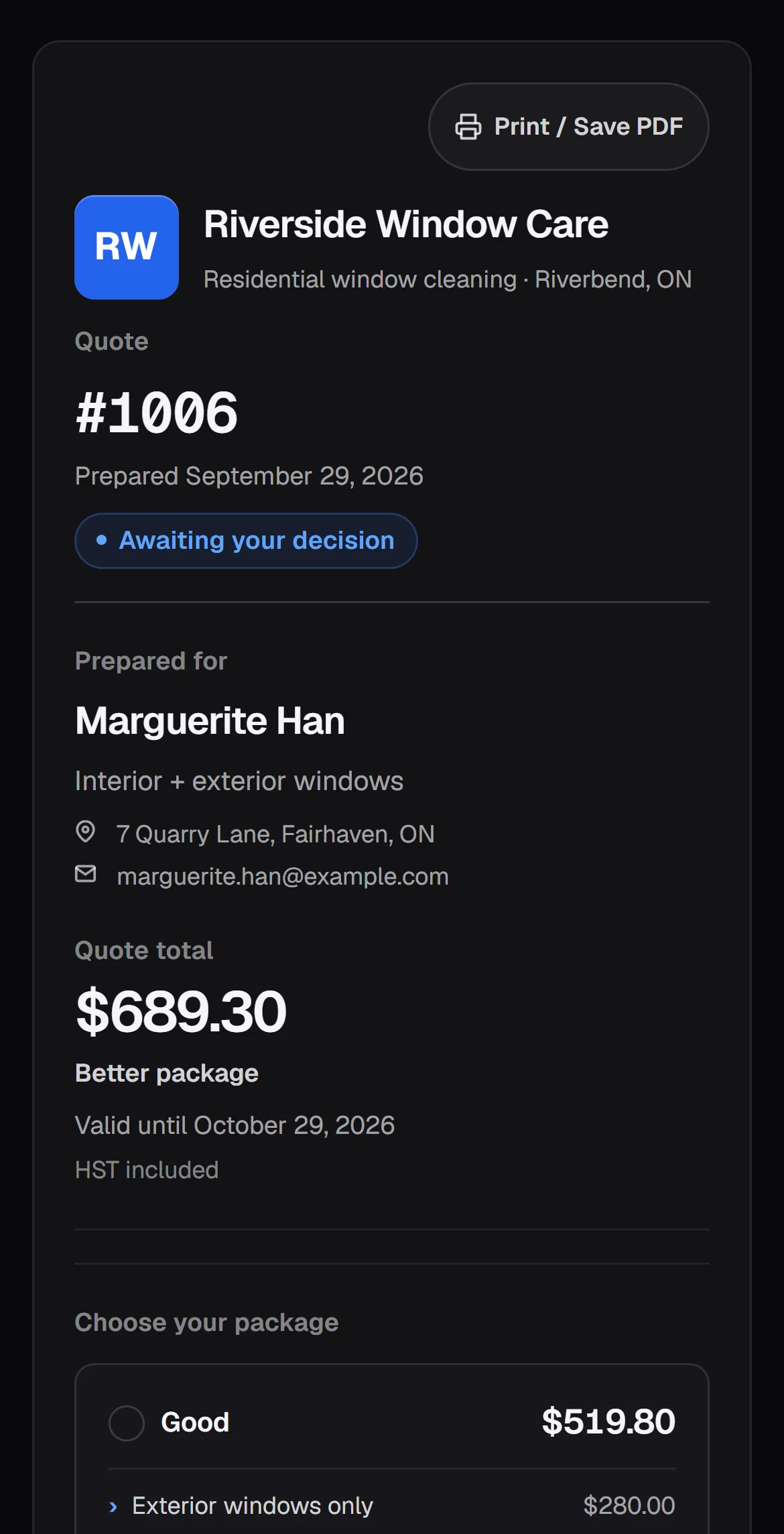
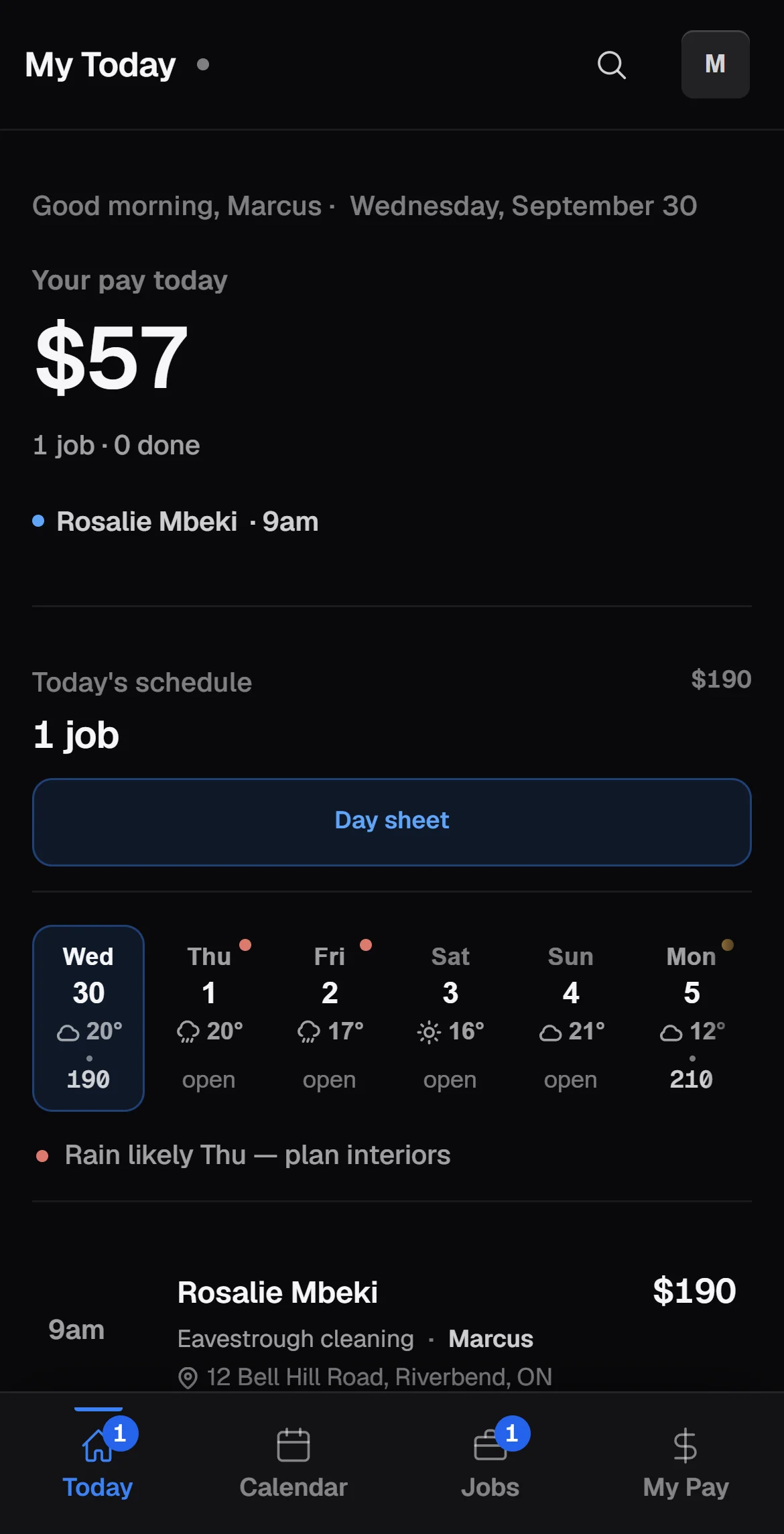
Real screens from CrewDocket, filled with a made-up business. The names and numbers aren’t real.
Pick yours and CrewDocket starts with that trade’s services and wording. Change any of it later.
Every job takes the same five steps. CrewDocket keeps each one to a tap or two, and shows you which jobs are stuck where.
From the form on your website, a call, or a text. It lands as a lead with the details filled in.
Send one price, or Good / Better / Best with extras. It goes out as a link by text or email.
Your customer picks a package and accepts on their phone. You get an alert the moment they do.
Drag it onto a day. The crew sees where to be and what the job is, and marks it done.
The invoice is one tap from the finished job. You see when they open it and when it’s paid.
Your customer opens a clean page with your business name on it, picks a package, ticks any extras and accepts. No app, no account, no printing.

Drag a client onto a day to book them. The forecast sits on every day, so a rainy Thursday shows up before it wrecks one.

Invite each person with a link. On their phone they see today’s jobs, where to go, and what they’ve earned — worked out the way you pay them.

When a job’s done, its invoice is one tap away with the price and tax already on it. Your customer gets a page with your e-transfer address and a button to copy it.


Import a spreadsheet from Jobber, Housecall Pro, QuickBooks, Google Contacts or your own. Columns match up by name and duplicates are caught.
A link for your website or Facebook page. Every request arrives as a lead, ready to quote.
When a request comes in, when a customer opens a quote, and when they accept or decline it.
Put regulars on a plan. They show up when they’re due, and booking them is one tap.
Before-and-after pictures saved on the job. Location data is stripped out before they’re stored.
What came in, what the crew earned, and what’s left, by week and by month.
One button in Settings downloads a copy of your whole business to your computer.
Same account, same numbers, live on both. Plan the week at the desk, run the day from the truck.
Better you read it here than find out after you’ve set up.
Texts in and out in one inbox, shared with your office. When a customer writes “can you do Thursday at 9?”, the booking is one tap.
Today: every Text button writes the message and opens it on your phone, so it goes from your own number. Nothing is ever sent without you pressing send.
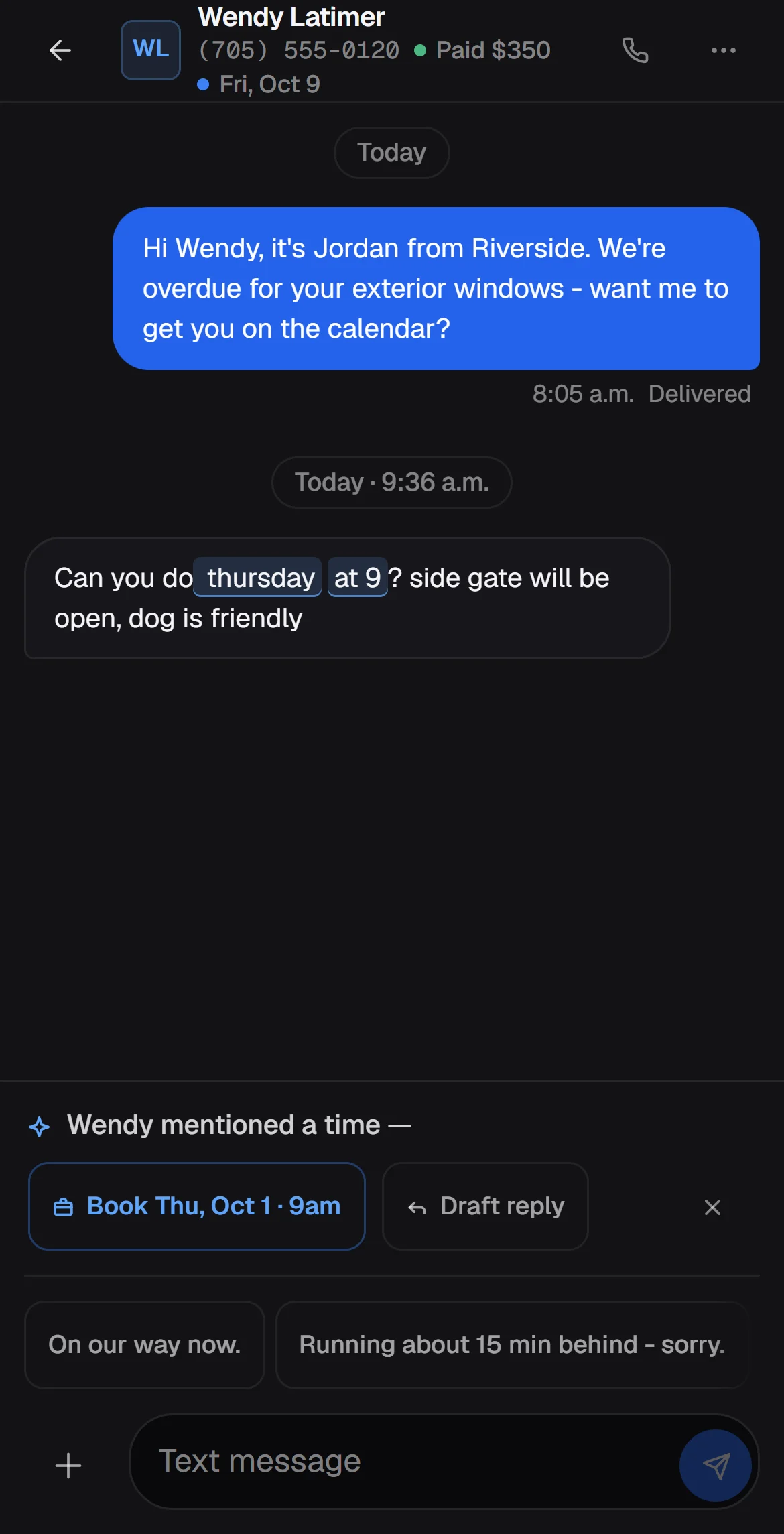
A pay-by-card button on the invoice page, with the money going to your own account.
Today: invoices show your e-transfer address and cash or cheque details. You mark an invoice paid when the money lands.
Everything on this page, for you and your whole crew.
Paid plans aren’t set yet. When they are, the price goes on this page first, and nothing is ever charged without a price you’ve agreed to.
Owner-run crews that work outside: window cleaning, pressure washing, gutters, lawns and landscaping, snow, holiday lights, painting, pools and property maintenance. One truck or several.
It’s built for Canada first: sales tax by province, Interac e-Transfer on invoices, and dates and dollars written the Canadian way. Outside Canada the tax setup won’t fit yet.
As a link, sent by text or email. It opens a page with your business name on it. They don’t install anything or make an account.
Not on its own number yet. Today, every Text button writes the message and opens it in your phone’s texting app, so it comes from your number and you press send. A business number inside CrewDocket is in the works.
Not yet. Invoices show your e-transfer address and cash or cheque details, and you mark them paid when the money lands. Card payments are in the works.
Yes. Export a spreadsheet (CSV) from whatever you use now — Jobber, Housecall Pro, QuickBooks, Google Contacts or your own sheet — and import it. Columns are matched by their names and duplicates are caught.
You send each person an invite link. They make their own sign-in on their phone and see their jobs and their pay. Remove someone and they can’t sign back in.
No app store needed. It runs in the browser on any phone or computer. On a phone, add it to your home screen and it opens full-screen and can send you alerts.
Nothing right now, and you aren’t asked for a card. Paid plans aren’t set yet; the price will be posted here before it applies, and nothing is charged without a price you’ve agreed to.
Yes. Settings has a button that downloads a copy of your whole business to your computer, any time. It’s your data.
Your trade, your business name, an email and a password. That’s the whole sign-up.